 zenvodo
A little clarity, every morning
Your tasks together, with optional daily email.
See the whole picture
Choose Your daily briefing in Account, or the sun link in a live dashboard. It brings together tasks from your Personal space and connected workspaces. Choose a timezone to define today. Overdue, today, coming up, further ahead, waiting, promises, review, loose ends and undated tasks each have a place. Coming up covers the next seven days after today; Further ahead shows later dates. Sections can overlap; the headline counts each task once.
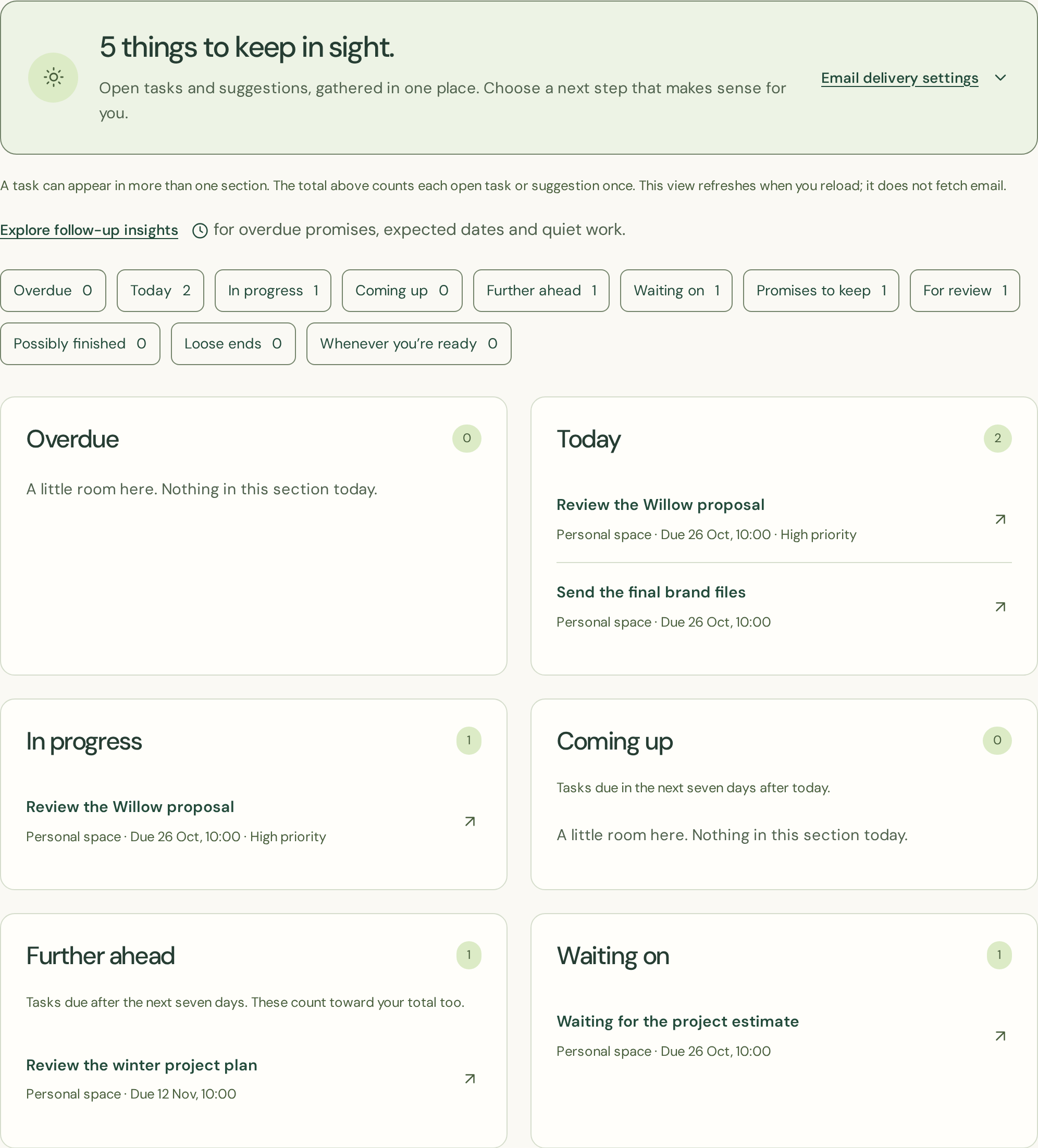
Follow the next step
Select a task to open it in its own dashboard. The briefing shows a limited preview of each section, with a total count. Completed, dismissed and currently snoozed tasks stay out of the active briefing.
Choose email if it helps
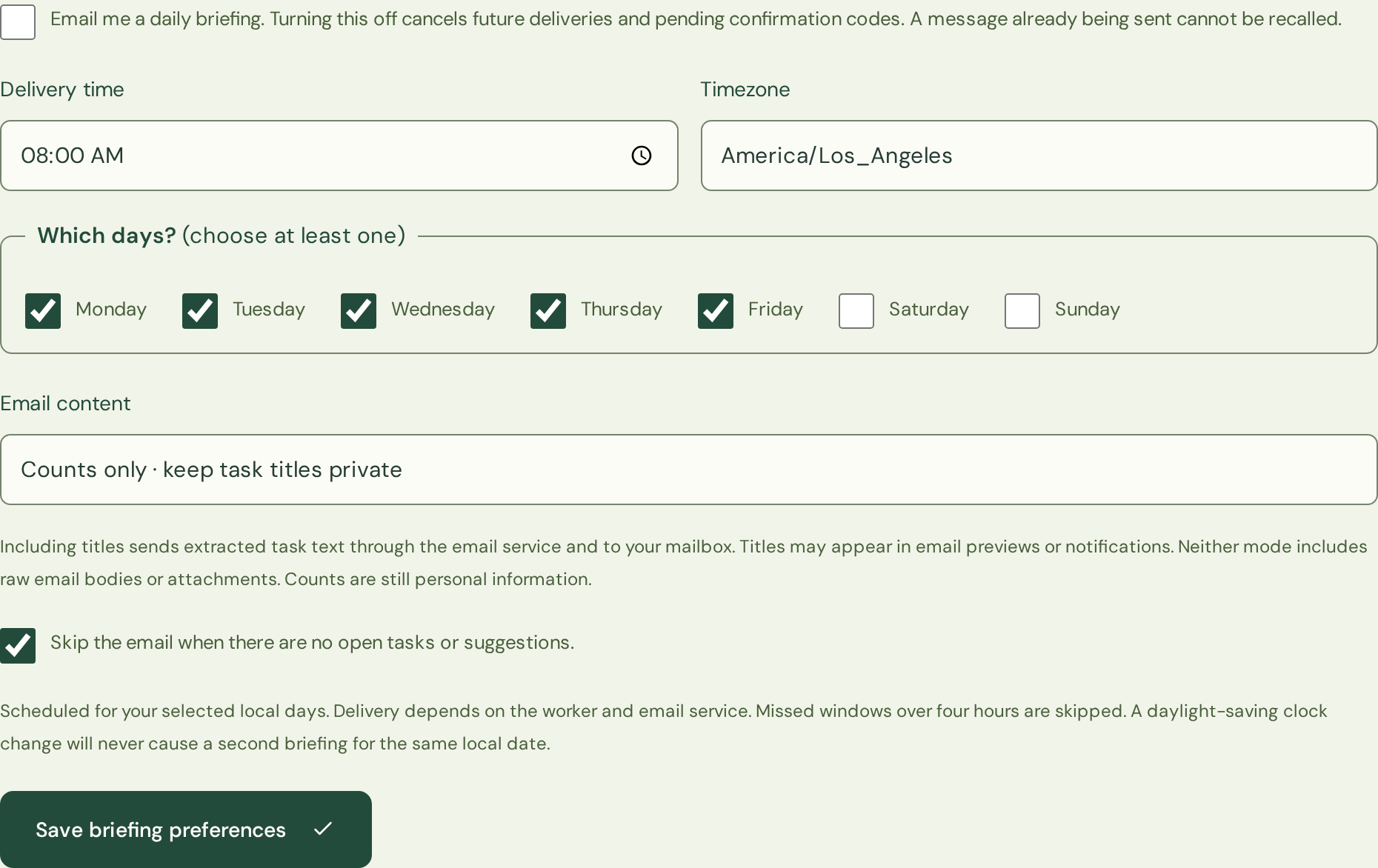
Open your daily briefing, enable daily email and choose your local time and days. A confirmation code is sent to your zenvodo account address. Paste it into the briefing page while signed in before any task information is emailed. Connecting a mailbox alone does not enable these messages.
Keep the detail comfortable
Emails use counts only by default. You can explicitly include up to five task titles per section. Email copies leave the application and are handled by mail providers; even task counts can be personal information. Raw email bodies and attachments are never included. Skip empty days or turn delivery off at any time. A message already being sent cannot be recalled.
When a delivery is missed
A worker outage can delay a message. Messages more than four hours late are skipped. An uncertain send is not automatically repeated that day, to avoid duplicates. The private briefing remains available. Changing your account email requires confirmation again.