 zenvodo
Let small corrections shape future tasks
Optional local learning for priorities and categories, with a clear off switch.
Opt in per email workspace
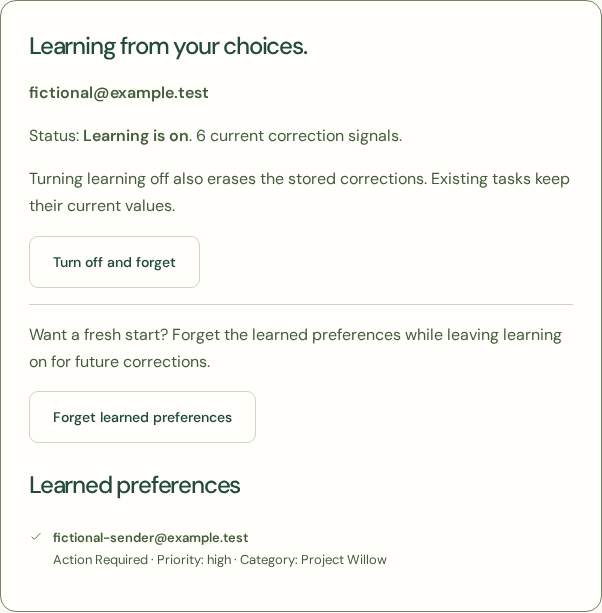
From Your Spaces, choose Learning from corrections. Learning starts off and only considers corrections made after you opt in. Your personal space, manual tasks and outgoing messages do not teach preferences.
Build a stable preference
Correct a task’s priority or category as usual. At least three distinct tasks from the same sender and obligation type must agree among the five most recent corrections for that field. Repeated edits to one task count only once. Preferences apply only to new tasks in the same email workspace. Explicit email rules take precedence.
Stay in charge
Learning does not exclude messages, change deadlines or titles, approve suggestions, complete tasks or rewrite saved work. The learning page shows the stable preferences. Turn off and forget erases all memory; Forget learned preferences resets it while leaving learning on.
Keep learning local
Remembered sender/value pairs are encrypted in zenvodo and never sent as learning records to an AI provider or shared between customers. This is deterministic preference learning, not model training. Each workspace keeps at most 500 signals, used for up to 180 days. Expired records are pruned hourly in batches and may remain until maintenance catches up. Memory is included in private JSON exports and removed on workspace/account deletion.